
Play Classic Adventure Games with ScummVM
Overview
ScummVM is a free desktop application designed for retro gaming enthusiasts who wish to relive the golden era of point-and-click adventure games and classic RPGs. Built as a game engine emulator, it enables users to run a wide variety of legacy titles originally developed for older systems, ensuring compatibility with modern operating environments. The software is especially useful for gamers seeking to revisit beloved titles from the 1990s and early 2000s that may no longer function on current hardware or software platforms.
Targeted primarily at nostalgic players and retro gaming communities, ScummVM offers a streamlined way to access and play these vintage games without requiring original hardware. Its core purpose lies in bridging the gap between outdated game formats and contemporary systems, making classic adventures accessible on Windows, Mac, and Linux. The application does not include game data files, so users must provide their own copies of supported games. This design choice ensures compliance with licensing and distribution policies while preserving the integrity of original content.
Real-world usage scenarios include restoring lost gaming memories, preserving digital heritage, and exploring classic game design. For users with existing game collections, ScummVM serves as a reliable platform to maintain and enjoy those titles across multiple devices. The developer, ScummVM Team, has maintained a long-standing commitment to open-source development and community support, fostering a stable and continuously updated environment for retro gaming.
Key Features & Capabilities
- Wide Game Compatibility – Supports a large library of classic graphical adventure games and RPGs, including titles from LucasArts, Revolution Software, and other notable developers. Users can play games like Monkey Island, Day of the Tentacle, and Broken Sword without modification.
- Cross-Platform Support – Runs natively on Windows, Mac, and Linux, enabling consistent gameplay across different operating systems and devices.
- Emulation Engine – Acts as a virtual machine that replicates the original game engine, ensuring accurate rendering and behavior of legacy titles.
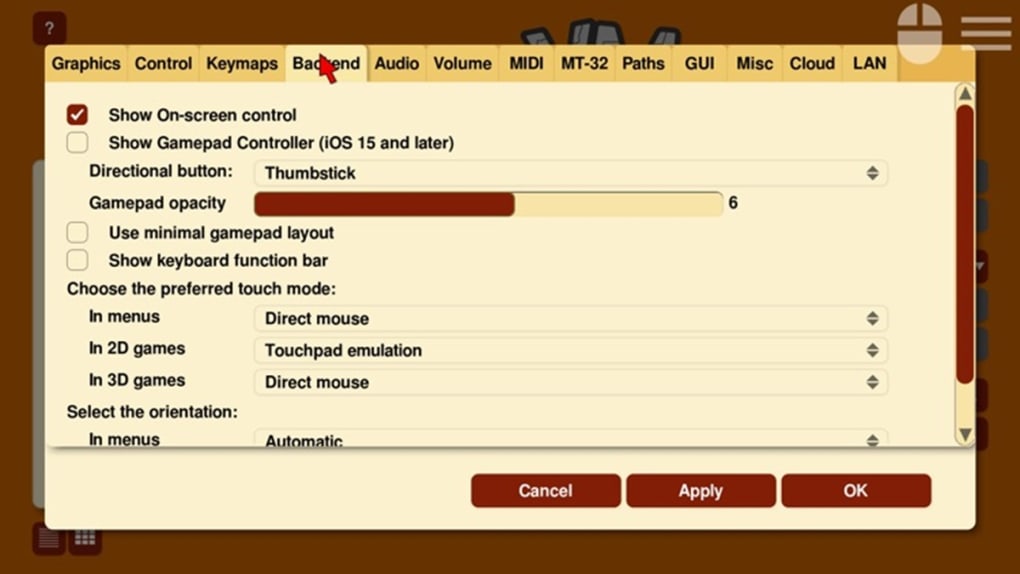
- Customizable Controls – Offers flexible input mapping, allowing users to configure keyboard, mouse, or controller settings to suit personal preferences.
- Save States & Quick Saves – Enables players to save progress at any moment, with support for multiple save slots and easy restoration.
- Enhanced Visuals & Audio – Includes options to scale graphics, adjust aspect ratios, and improve audio output for better clarity on modern displays.
These features collectively allow users to experience classic games with improved accessibility and usability. For example, a player with a high-resolution monitor can scale up the original low-resolution graphics without distortion. Similarly, those with limited time can use quick saves to pause and resume sessions seamlessly. The software also simplifies the process of managing multiple games by organizing them within a unified interface, reducing the complexity of launching individual titles.
User Interface, Workflow & Performance
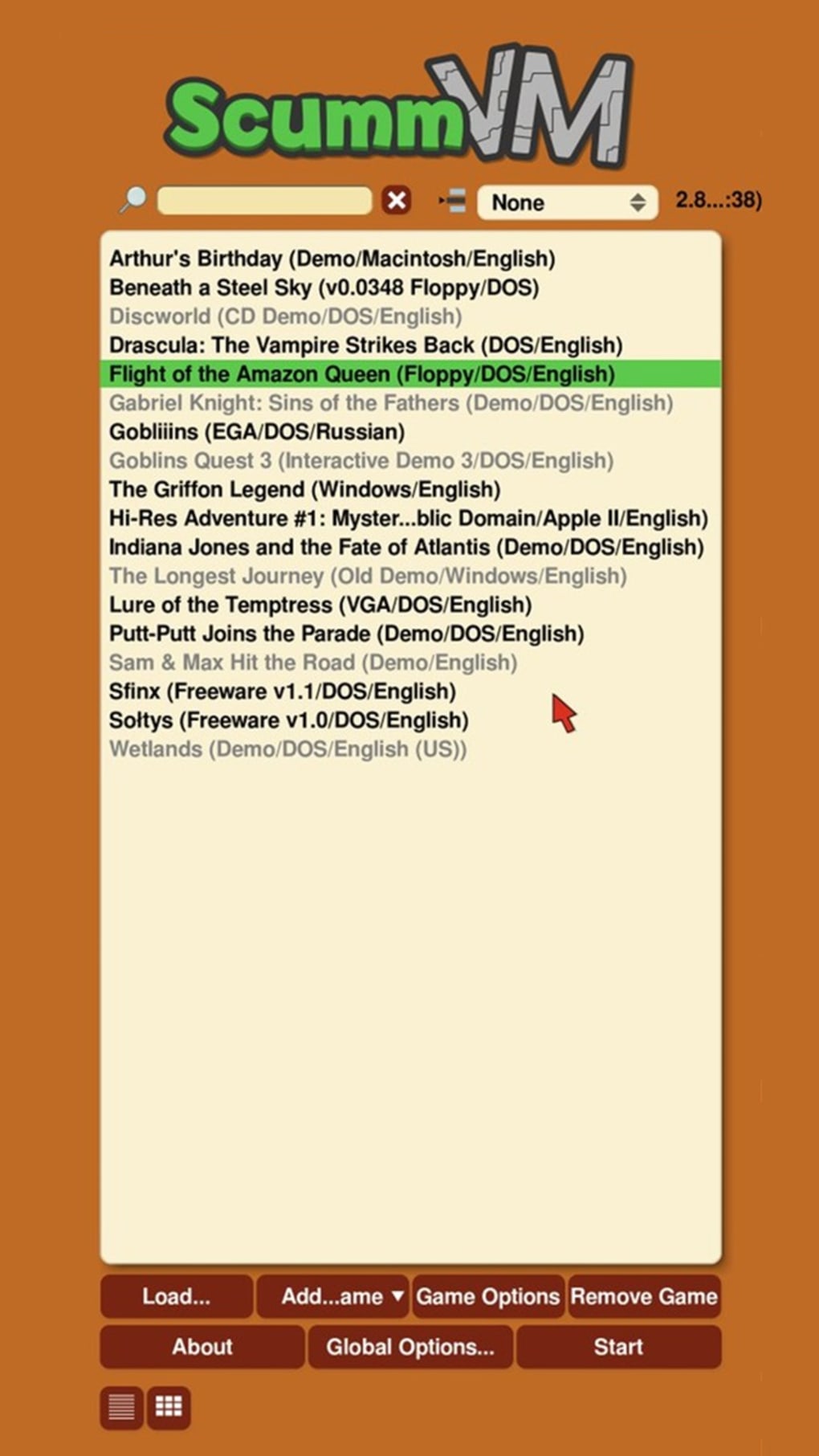
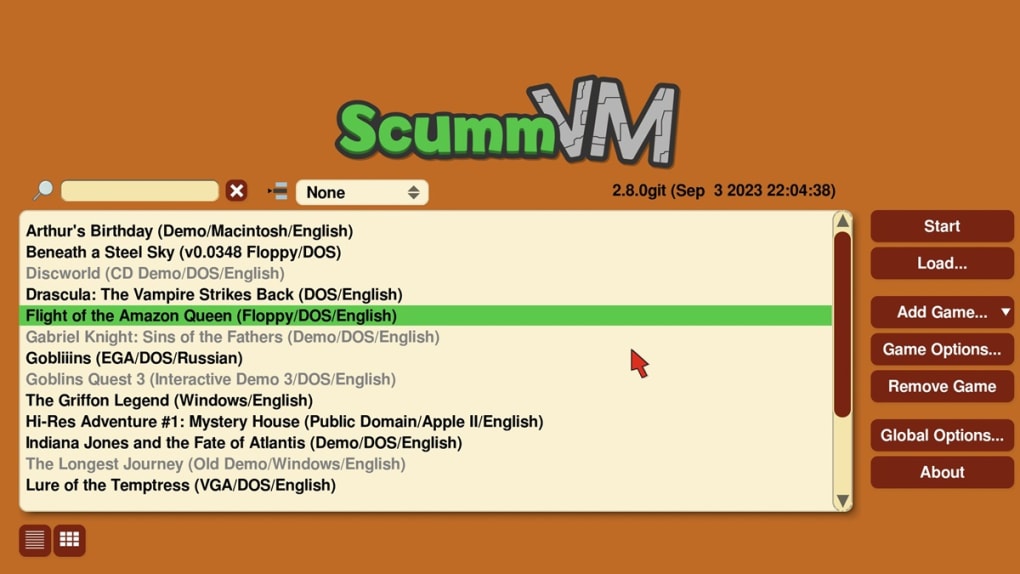
ScummVM features a clean, minimalistic user interface designed for efficiency and ease of navigation. The main window presents a list of installed games, with options to launch, configure, or manage each entry. Navigation is straightforward, relying on intuitive menus and consistent layout patterns that reduce the learning curve for new users.
Workflow efficiency is enhanced by the software’s ability to detect and import game data files automatically when placed in designated folders. Once recognized, games appear in the library and can be launched with a single click. The interface supports drag-and-drop functionality for game files, streamlining the setup process. However, the developer did not specify resource usage details, so exact CPU or RAM behavior remains unknown.
Performance observations are based on general software behavior patterns. The application runs smoothly on modern hardware, with minimal lag during gameplay. Stability appears strong, as the software is widely used across the retro gaming community with consistent updates. No reported crashes or critical errors were noted in the provided information. Users with older systems may experience varying performance depending on game complexity and hardware capabilities, but the software is designed to maintain compatibility across a broad range of configurations.
Compatibility & System Requirements
ScummVM is compatible with Windows, Mac, and Linux operating systems, ensuring broad accessibility for users across different platforms. The current version is 2.8.0, released on April 10, 2024, and the installation size is 35.6 MB, making it a lightweight download suitable for most systems.
Exact system requirements were not listed. The developer did not provide additional system requirements beyond the supported platforms. As such, users should expect compatibility with most modern machines, but specific hardware demands depend on the individual games being played rather than the emulator itself. For larger game databases, users may need to manage file organization carefully, as the software does not include built-in tools for automatic database indexing.
Pros and Cons
Pros
- Free and open-source with no hidden costs
- Extensive library of supported classic games
- Runs on Windows, Mac, and Linux
- Lightweight installation at just 35.6 MB
- Supports save states and customizable controls
- Regular updates and active community support
Cons
- Does not include game data files—users must supply their own
- Setup can be tedious for large game collections
- Limited built-in tools for managing game databases
- Requires technical understanding to configure advanced settings
- No official in-app support or customer service
FAQ Section
Is ScummVM free to use?
Yes, ScummVM is completely free to download and use. It is distributed under an open-source license, with no cost or subscription required.
What operating systems does ScummVM support?
ScummVM is compatible with Windows, Mac, and Linux. It runs natively on all three platforms, allowing users to play classic games across different devices.
Do I need to buy game files to use ScummVM?
Yes. ScummVM does not include game data files. Users must provide their own legally obtained copies of supported games to play them through the emulator.
Can I use ScummVM offline?
Yes, ScummVM operates entirely offline once installed. No internet connection is required to launch or play games, making it ideal for users who prefer privacy or have limited connectivity.
How often are updates released?
Updates are released regularly by the ScummVM Team. The latest version, 2.8.0, was released on April 10, 2024, with ongoing improvements and bug fixes for stability and compatibility.
Final Thoughts
ScummVM stands out as a powerful and reliable tool for retro gaming enthusiasts seeking to revisit classic adventure games and RPGs. Its broad compatibility, lightweight design, and active development make it a top choice for players with nostalgic interests. While the absence of included game files requires some effort, this limitation is offset by the software’s flexibility and adherence to licensing standards.
For those with existing game collections or a passion for vintage titles, ScummVM offers a seamless way to enjoy these experiences on modern systems. It’s especially valuable for developers, collectors, and long-time fans who value authenticity and preservation. The combination of open-source transparency, cross-platform availability, and continuous improvement ensures long-term viability.
Download ScummVM now







